Choosing an iPad in 2024 can be confusing with many options available. From the basic iPad to the powerful iPad Pro, there’s a model for different needs and budgets. Most people will find the iPad Air to be the best choice, balancing performance and price at $599. With the release of new iPad models in 2024, choosing the right one can be daunting. This guide compares the latest iPad Pro, iPad Air, and the 10th generation iPad to help simplify the decision-making process. By considering your needs, budget, and preferred features, you’re able to find the perfect iPad to enhance your digital lifestyle. For those needing more power, the iPad Pro is ideal with its advanced performance and display.
Artists and professionals may favor it. Its higher price reflects its capabilities, making it a great investment for those who will use its features. There’s also an entry-level iPad and the smaller iPad mini for those who want something simple or compact. Selecting the right iPad involves considering what you’ll use it for. Whether you need it for work, school, or fun, there’s an iPad that fits your needs. Read on to get more details and find the perfect iPad for you.
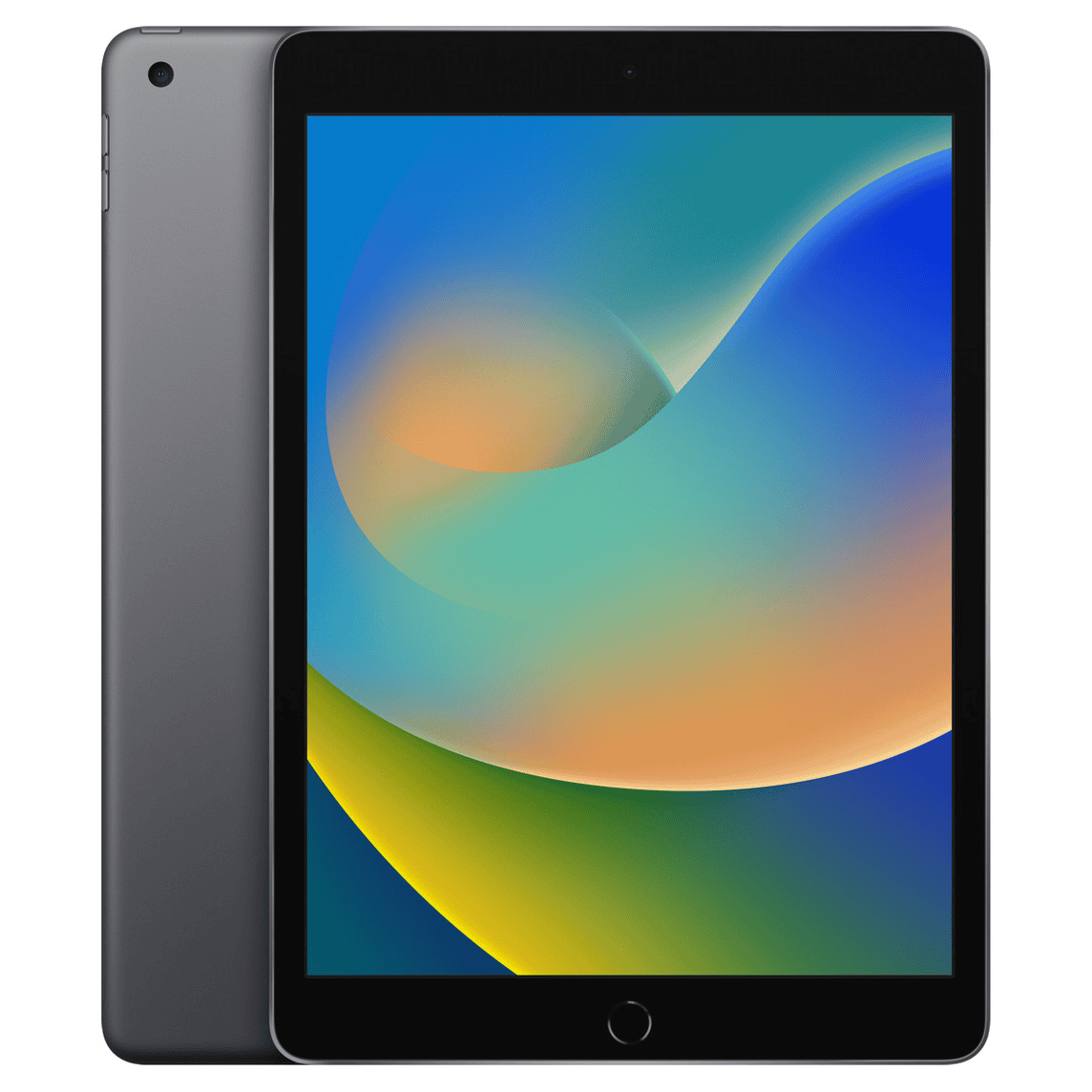
Choosing the Right iPad in 2024
Best iPad for Most People: iPad Air (M2, 2024)
The 2024 iPad Air strikes a balance between power, portability, and price. The M2 chip handles demanding tasks with ease, the Liquid Retina display is vibrant and sharp, and the addition of a 13-inch model offers a larger canvas for productivity and creativity.
Best iPad for Power Users: iPad Pro (M4, 2024)
For professionals and power users, the 2024 iPad Pro is the top choice. The M4 chip delivers unparalleled performance, the Liquid Retina XDR display (12.9-inch) offers stunning visuals, and features like ProRes video capture and Thunderbolt connectivity cater to demanding workflows.
Best Budget iPad: iPad (10th generation)
If price is a major concern, the 10th generation iPad is a solid option. It boasts a modern design, a capable A14 Bionic chip, and a vibrant Liquid Retina display, all at a more affordable price point.
Comparison Table
Additional Considerations
Key Takeaways
Understanding iPad Models
Choosing the right iPad depends on your needs. This section covers the differences betweeniPad Pro, iPad Air, Standard iPad, and iPad Mini to help you decide which one suits you best.
Comparing iPad Pro, iPad Air, and Standard iPad
iPad Prois the most powerful model available. It comes in two sizes: 11 inches and 13 inches. ThePro modelsfeature theM4 chipwhich provides high performance for demanding tasks. They supportApple Pencil 2nd generationand have a ProMotion display for smoother visuals. They can be ideal for professionals needing top performance.
iPad Airsits between the Pro and Standard models. It wasupdated in May 2024and is available in two sizes: 11 inches and 13 inches. It features the M2 chip, which is powerful but not as advanced as the M4 found in the Pro. The Air supports Apple Pencil 2nd generation and offers good performance for most users. It’s suitable for those who want high-end features but don’t need the Pro’s power.
Standard iPadis the most basic model and is highly affordable. While it may not have the latest features like the Pro and Air, it can handle everyday tasks well. It supports the 1st generation Apple Pencil. This iPad is great for students or casual users who need a reliable device without extra features.
iPad Mini: Compact Power
TheiPad Miniis the smallest model in the lineup. With a 6th generation model released in 2021, it has an 8.3-inch display. Despite its size, it packs a punch with the A15 chip. It supports the 2nd generation Apple Pencil, making it suitable for note-taking or drawing on the go.
This model is perfect for those who need a powerful yet portable device. Its small size and lightweight design make it easy to carry around. The iPad Mini is ideal for reading, browsing, and light productivity tasks. It’s compact, portable, and powerful for its size.
Technical Specifications
The technical specifications of iPads vary significantly between models. This section will cover internal hardware, display technology, connectivity options, and camera capabilities.
Internal Hardware Overview
iPads use a range of processors. TheiPad Mini 6th Genand the standard iPad often come with theA14 Bionicchip. This processor is efficient and supports most tasks. The iPad Air features theM2 chip. This is a step up and handles heavier apps and multitasking better.
The iPad Pro models are where performance shines. They use theM4 chip. It’s powerful enough for professional use including video editing and 3D rendering.Memory optionsrange from64GB to 2TB. More memory helps with large files and apps.
Display and Screen Technology
Screen quality is crucial for many users. Basic iPads use aLiquid Retinadisplay. It’s an LED screen with good color accuracy. iPad Air andiPad Minialso use similar display tech but with better resolution.
iPad Pro models use anOLED display. This offers deeper blacks and better contrast. Screen sizes vary from 11-inch to13 inches. Larger screens are good for split-screen multitasking and media consumption.
Connectivity Options
Connectivity on iPads starts withWi-Fi. All models support the latest Wi-Fi standards. Some models also havecellularoptions. These can connect to 4G or5G networks. Cellular iPads are flexible and can access the internet anywhere.
For physical connections, most models now useUSB-C. Higher-end iPads supportThunderbolt. This interface transfers data faster and supports more accessories. Using these ports, users can connect to monitors or external drives without issues.
Camera Capabilities
Cameras on iPads have improved over the years. Standard iPads usually have 8MP rear cameras. They work well for casual photos. The iPad Air and Mini offer 12MP rear cameras. These improve photo quality and video recording.
iPad Pro models take it a step further. They feature dual rear cameras with a 12MP wide and a 10MP ultra-wide lens. They also include aLiDAR Scannerfor better depth sensing. Front cameras range from 7MP to 12MP, good for video calls and selfies.
Design and Usability
The design and usability of iPads vary widely across models. It’s important to consider portability, security features, and compatibility with accessories like theApple Penciland Magic Keyboard.
Evaluating Portability and Use Cases
Portability is key if you plan on carrying your iPad around. The iPad Mini is the smallest and lightest. It’s perfect for reading books and quick tasks.
On the other hand, the iPad Pro, especially the larger models, offers impressive screen space. This makes it great for watching movies and drawing. Decide based on your primary use case: a smaller iPad is better for portability, while a larger one fits entertainment and creative tasks.
Security Features: Touch ID and Face ID
When it comes to securing your iPad, two main options stand out: Touch ID and Face ID. Touch ID is available on the iPad Mini, iPad Air, and some other models. It lets you unlock the device with a fingerprint.
Face ID, found on iPad Pro models, uses facial recognition. It’s faster and more convenient for many users. Think about how often you will unlock your iPad and choose the model with the security feature that suits you best.
Apple Pencil and Magic Keyboard Compatibility
The Apple Pencil is a must for drawing and note-taking. Most newer iPads support this accessory, but check compatibility before buying. The second-gen Apple Pencil offers magnetic attachment and wireless charging.
The Magic Keyboard, with its trackpad, transforms the iPad into a laptop-like device. This is ideal for typing tasks and more intensive work. Every iPad model has different accessories, so ensure your chosen device supports the Apple Pencil and Magic Keyboard if these are important to you.
Software and Ecosystem
The iPad’s software and compatibility with other Apple devices make it a powerful tool for both work and play. Here are some essential aspects to consider.
Operating System: iPadOS
iPadOSis the operating system designed specifically for iPads. It provides auser-friendly interfacethat’s simple and intuitive. Users benefit from features likemulti-tasking, where you canuse multiple apps simultaneously.
With iPadOS, widgets can be added to the home screen for quick access to important information. It also brings enhancements to the Files app, making it easier to handle documents. These features help boost productivity and streamline daily tasks.
Integration with Mac and iPhone
iPads integrate seamlessly with Macs and iPhones, creating a cohesive experience across devices. Users can start tasks on one device and finish on another. For example, theHandoff featurelets you switch between your iPad and Mac without losing your place in an app.
iCloud further connects these devices by syncing photos, documents, and app data. This interconnectedness ensures that all your information is accessible wherever you are.
App Accessibility and Stage Manager
The App Store offers a vast selection of apps for iPads, covering everything from productivity tools to games. Many apps are optimized for the iPad, utilizing its screen size and touch capabilities.
Stage Manager is a feature in iPadOS that helps with organizing open apps. It allows users to keep multiple windows open and grouped, making it easier to switch between tasks. This system is especially useful for multitasking, providing a more efficient way to manage your workflow.
Choosing the Right Model for You
Selecting the right iPad depends on your needs, uses, and how long you want it to last. Consider what you will use it for, whether it’s work, study, entertainment, or a mix of all three.
Assessing Your Needs and Preferences
Understanding your primary use for the iPad is crucial. If you need it for simple activities like browsing or streaming, thebase Apple iPad(10th generation) is a good choice. For more intensive tasks like graphic design or coding, an iPad Pro or iPad Air would be better. Consider if you need a keyboard or Apple Pencil, as these accessories can improveproductivity.
Comparing iPad for Work, Study, and Play
For students, the iPad Air offers a balance of performance and price. It supports the Apple Pencil, which is great for note-taking and drawing. Gamers and creative professionals might prefer the iPad Pro for its better graphics and faster processor. For casual users focused on media and social media, the basic iPad is sufficient and affordable.
Future-Proofing: Longevity and Support
Wheninvesting in an iPad,longevity matters. The iPad Pro models usually receive updates for the longest time, making them morefuture-proof. They also have the best hardware, which can handle software updates for years. The iPad Air and base iPad models receive updates for a slightly shorter period but still offer good value for their price. Always consider how long you plan to use the device.
Purchasing and Aftercare
Whenbuying an iPad, it’s crucial to know where to purchase it, understand warranty options, and consider essential accessories.
Where to Buy: Apple Store and Other Retailers
Apple.comand theApple Store Appoffer the full range of iPad models. Customers can also visit physical Apple Stores across the U.S. for in-person assistance. Retailers like Best Buy, Walmart, and Target sell iPads too.
Carriers often provide iPads with cellular plans. They might offer monthly installments, spreading the iPad’s cost over time. This makes it easier to afford higher-end models.
Compare prices and deals from different sources to get the best price. Sometimes, third-party retailers offer promotions not found at Apple stores.
Warranty and Apple Support
All new iPads come with a one-year limited warranty. This covers defects andhardware issues.AppleCare+extends the warranty up to two years. It includes coverage for accidental damage, although a service fee applies.
For support, Apple’s website and app offer resources and live chat options. Many prefer visiting physical stores for repairs or advice. Apple’s customer service is praised for its efficiency and helpfulness.
Consider purchasing AppleCare+ with your iPad. It provides peace of mind for potential repairs. Regularsoftware updatesfrom Apple keep the iPad running smoothly. Signing up for notifications about these updates is useful.
Accessorizing Your iPad
Accessories enhance the iPad experience. Protective items like afolio caseandscreen protectorsafeguard the device. Apple’s Smart Keyboard and Magic Keyboard boost productivity, especially for typing tasks.
TheApple Pencilis essential for drawing or taking notes. It attaches magnetically and charges wirelessly, providing convenience. For better sound, considerBluetooth speakersor headphones.
Charging stands withpassthrough chargingkeep the iPad powered while in use. They are ideal for long work or creative sessions. Explore third-party options alongside Apple’s official accessories for varied choices.
Choosing the right accessories can make the iPad more versatile and easier to use in daily tasks.
Which iPads Are Worth Buying In 2024
Please note:The “Worth Buying” assessment is subjective and depends on your individual needs and budget.
Additional considerations:
It’s always a good idea to compare prices and features before making a purchase. You may also want to consider waiting for potential sales or discounts.
Is the iPad 9th Gen Still Worth Buying?
While the iPad 9th Generation is no longer the newest model on the market, it still holds its own in certain situations, especially considering its current price point.
Here’s why it might still be worth buying:
However, there are some drawbacks to consider:
Ultimately, whether the iPad 9th Generation is worth buying depends on your needs and budget:
Remember, technology moves quickly, so it’s essential to weigh the pros and cons carefully before making a decision.
