Apple Numbers is aspreadsheet appcreated by Apple Inc. It’s part of theiWork productivity suiteavailable for Mac, iPad, and iPhone users.Numbers offers a unique approach to spreadsheets with its free-form canvas that allows users to create and edit tables, charts, text, and images in one place.
Numbers includes over 250 functions and 30+ templates to help users get started quickly. It supports real-time collaboration, making it easy for teams to work together on projects. The app also allows for easy import and export of data, ensuring compatibility with other spreadsheet programs.
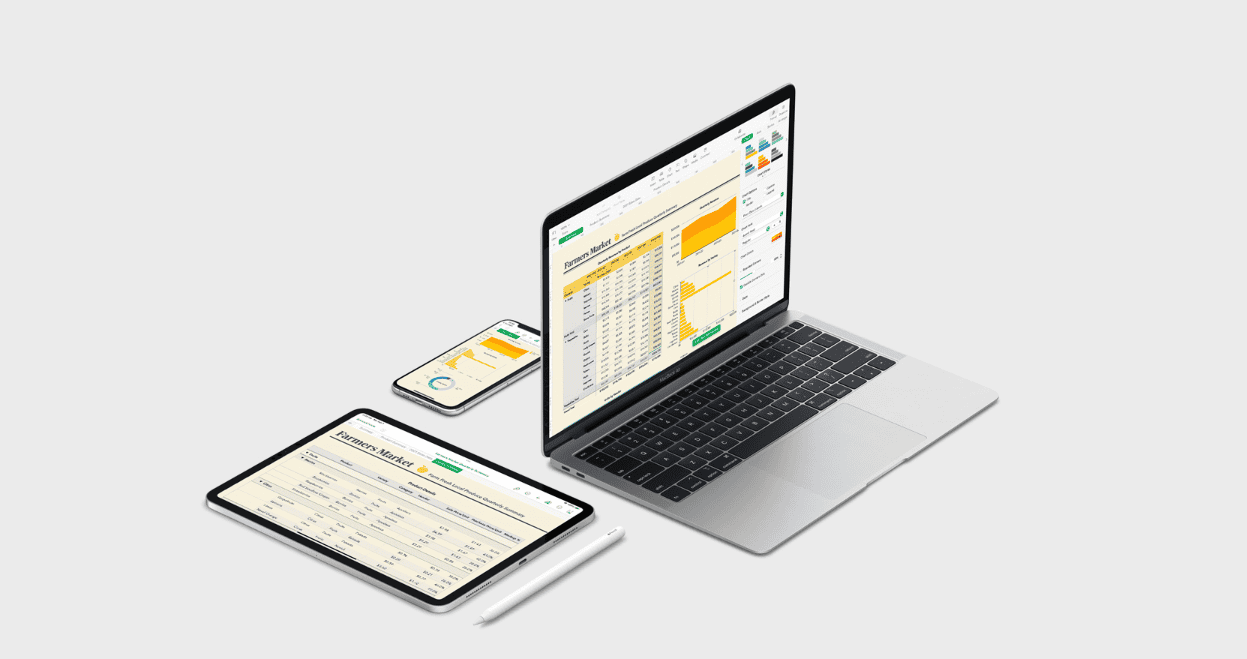
Unlike traditional spreadsheet software, Numbers emphasizes visual appeal and ease of use. Its interface is designed to be intuitive, making it accessible for both beginners and experienced users. The app’s powerful features combined with its user-friendly design make it a versatile tool for personal and professional use.
Exploring Apple Numbers
Apple Numbers is a spreadsheet application developed by Apple Inc. It is part of the iWork productivity suite, which also includes Pages (word processing) and Keynote (presentations). Numbers is available for Apple devices like Macs, iPhones, and iPads. It’s also accessible via the web on iCloud.com.
Numbers offers a user-friendly interface and a variety of tools for creating spreadsheets, organizing data, and performing calculations.
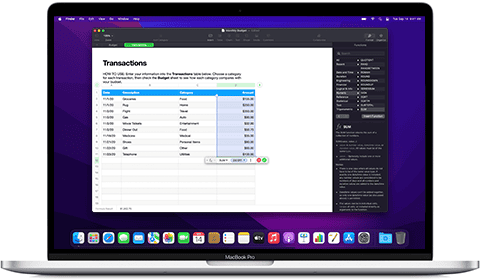
Numbers is a versatile tool suitable for various purposes, including:
Compatibility
Numbers vs. Excel
Choosing the Right Tool
While Numbers and Excel share core functionalities, they cater to different needs. Numbers excels in ease of use and visual appeal, making it suitable for personal and small business tasks. Excel, with its advanced features, is often preferred for complex data analysis and professional settings.
Getting Started and Finding Help
Templates and Formulas
Comparing Numbers with Other Spreadsheet Software
Advanced Features and Tutorials
Accessing and Downloading Numbers
Key Takeaways
Exploring the Features of Numbers
Apple Numbers offers powerful tools for creating and analyzing spreadsheets. It combines ease of use with advanced capabilities for data management and visualization.
Spreadsheets Creation and Management
Numbers makes it easy to start new spreadsheets. Users can add data to tables quickly. The app lets you adjust rows, columns, and cells as needed. You can resize elements by dragging edges. Formatting options help make data look clean and clear.
Numbers works with text, numbers, and images. You can add any of these to your sheets. The app supports many fonts to style your text. This flexibility helps create professional-looking documents.
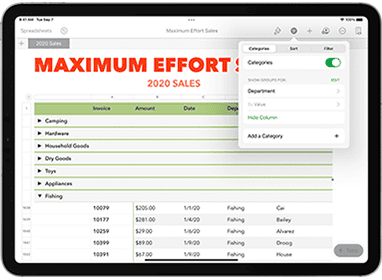
Tables form the core of Numbers spreadsheets. you may have multiple tables on one sheet. Thislayout freedomsets Numbers apart from other spreadsheet apps.
Advanced Formulas and Functions
Numbers includes over 250 functions for complex calculations. These range from basic math to advanced statistics. The XLOOKUP function helps find data in large tables. REGEX allows pattern matching in text.
New functions like TextJoin and Bitand expand what’s possible. Users can chain functions to solve tricky problems. The app guides you through formula creation to reduce errors.
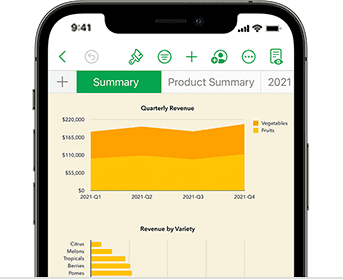
Numbers handles ranges of cells smoothly. This makes working with large datasets easier. The function browser helps users find the right tool for each task.
Data Visualization Tools
Charts bring data to life in Numbers. The app offers many chart types to show trends clearly. Options include bar, line, pie, and doughnut charts. More advanced choices like radar charts are also available.
Numbers can create charts automatically from selected data. You can then customize colors, labels, and scales. Interactive elements let users explore data points.
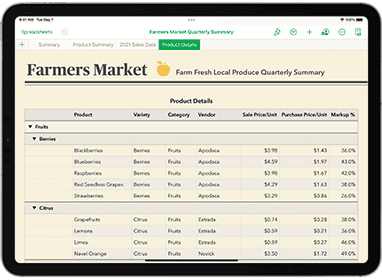
Pivot tables help summarize large datasets quickly. Smart Categories group related data automatically. This saves time when analyzing complex information.
Template Usage and Customization
Numbers comes with over 30 built-in templates. These cover common needs like budgets, invoices, and checklists. Templates provide a starting point for many projects.
Each template is fully customizable. You can change colors, fonts, and layouts. Add or remove elements to fit your needs. Save your changes as a new template for future use.
The wide range of templates helps users be productive fast. From simple lists to complex financial models, there’s likely a template to help you get started.
Frequently Asked Questions
Apple Numbers offers various features and capabilities across different platforms. Users often have questions about its availability, compatibility, and functionality compared to other spreadsheet applications.
How can I use Apple Numbers on an iPhone?
Download Numbers from the App Store. Open the app and start a new spreadsheet or choose a template. Use touch controls to enter data, create charts, and format cells. Sync your work with iCloud toaccess it on other devices.
Is there a way to access Apple Numbers online?
Yes. Visit iCloud.com and sign in with your Apple ID. Click on Numbers to create or edit spreadsheets in your web browser. This online version works on most devices with internet access.
Can Apple Numbers be used on a Windows PC?
Not directly. Numbers is only for Apple devices. Windows users can access Numbers files through iCloud.com. They can also export Numbers files to Excel format for use on a PC.
What are the differences between Apple Numbers and Microsoft Excel?
Numbers focuses on ease of use and visual appeal. It has fewer functions than Excel but offers simpler chart creation. Excel provides more advanced data analysis tools and is available on more platforms.
Is Numbers available for download on a Mac without charge?
Yes. Numbers comes free with new Macs. Existing Mac users can download it for free from the Mac App Store. An Apple ID is required to install and use the app.
Does Apple Numbers have an equivalent application for Android devices?
No. Apple does not make Numbers for Android. Android users can access Numbers files through iCloud.com on their web browser. They may also use other spreadsheet apps compatible with Numbers’ exported file formats.
