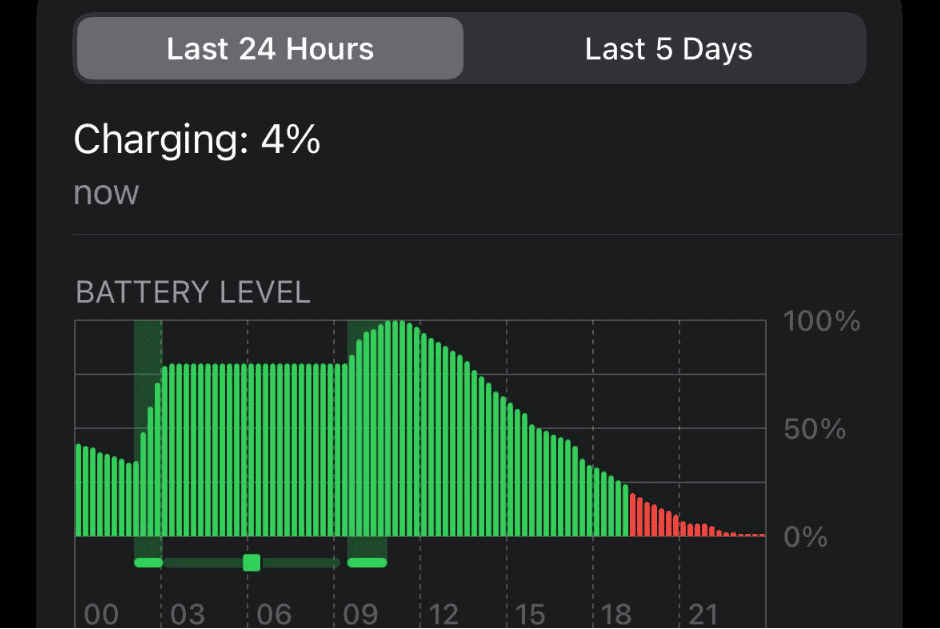
Taking care of your iPhone’s battery is important for maintaining its performance and maximizing its lifespan. You can monitor your battery’s health and performance in the iPhone’s settings, gaining insights into its usage rate. Understanding how to manage your battery will help prolong its lifespan and optimize its performance. As your iPhone’s battery ages, its ability to hold a charge diminishes. Apple provides guidance on how to care for your battery, such as charging it properly and keeping it at the right temperature. When the time comes, authorized service providers can replace your battery.
Key Strategies to Boost Your iPhone Battery’s Lifespan and Performance
Optimize Settings
Adjusting a few settings can significantly impact your iPhone’s battery life:
Charging Habits
Proper charging practices play a crucial role in maintaining your iPhone’s battery health:
Software Updates
Keeping your iPhone’s software up to date is essential for optimal battery performance:
Additional Tips
Table: Battery Optimization Features
Key Takeaways
Understanding iPhone Battery Health
The health of your iPhone’s battery impacts how long it can run before it needs a recharge. It shows you how much charge your phone can hold and its overall lifespan.
Chemistry and Aging
iPhone batteries use lithium-ion technology. This kind of battery ages. As it does, it can hold less charge. Chemical reactions cause this aging, especially after many charge cycles.
Battery Health Metrics
The key metrics for iPhone battery health are maximum capacity and performance capability.Maximum capacitytells you the battery’s charge compared to when it was new.Performance managementmay slow down the phone to prevent unexpected shutdowns if the battery’s health has significantly declined.
Factors Affecting Battery Lifespan
Many elements can shorten iPhone battery life.Temperatureis a big one; batteries dislike extreme cold or heat. More charge cycles usually mean a shorter battery lifespan. To help, newer iOS versions provide settings to manage battery health.
Optimizing Battery Performance
Maintaining an iPhone’s battery health requires attention to settings and habits. With the correct adjustments and care, one can extend battery life and its overall lifespan significantly.
iOS Settings for Battery Health
Users should start with adjusting settings on their iPhone.Low Power Modecan be enabled inSettings > Battery. It lowers screen brightness, optimizes device performance, and reduces background activity to save energy. Users can also monitorBattery Usage by Appin the same section to identify apps that consume excessive power. Turning offBackground App Refreshfor less crucial apps saves significant energy over time. Additionally, adjusting settings like reducingScreen Brightnessand switching off theAlways-on Displayfeature will further conserve battery life.
Best Charging Practices
Proper charging habits can have a big impact on battery health.Optimized Battery Charging, found underSettings > Battery > Battery Health & Charging, learns your charging routine and controls the charge your iPhone receives overnight to reduce battery aging. It’s best to avoid letting the battery drop to 0% before charging. Instead, maintain the battery level between 20% and 80% as much as possible.
Handling and Maintenance
Physical care is also essential. iPhones should be kept away from extreme temperatures to prevent battery damage. If a battery replacement is necessary, it should be done by anAuthorized Service Provideror at anApple Storeto guarantee quality and warranty coverage. Those withAppleCarecan usually get a battery replacement at a reduced cost or for free, depending on the circumstances. It’s crucial to use only Apple-provided or approved batteries and to avoid third-party repair shops that may use lower quality parts.
How do I maximize my iPhone battery health?
To maximize your iPhone battery health, follow these tips:
Should I replace my iPhone battery at 80% health?
It’s generally recommended to replace your iPhone battery when its maximum capacity drops below 80%. At this point, you may notice reduced battery life and performance issues.
How do I keep my battery 100% healthy?
Unfortunately, it’s impossible to maintain 100% battery health indefinitely. Lithium-ion batteries naturally degrade over time. However, by following the tips above, you’re able to significantly slow down the degradation process and prolong your battery’s lifespan.
What kills iPhone battery health?
Several factors can accelerate battery degradation:
Is 90% battery health good after 1 year?
Yes, 90% battery health after one year is considered good. It suggests that your battery is aging normally and you’re likely taking good care of it. Be careful if this number starts dropping quickly, however, as that could be a sign of a battery that is going bad.
What should iPhone battery health be after 2 years?
After two years, a healthy iPhone battery should typically have a maximum capacity between 80% and 85%.
At what percentage should I replace my iPhone battery?
Apple recommends replacing your iPhone battery when its maximum capacity drops below 80%. At this point, you’ll likely experience noticeable battery life issues.
Should I charge my iPhone to 100%?
It’s perfectly fine to charge your iPhone to 100% for regular use. However, if you plan to store your iPhone for an extended period, it’s best to charge it to around 50% before turning it off.